Tags

Tags applied the moment a message arrives

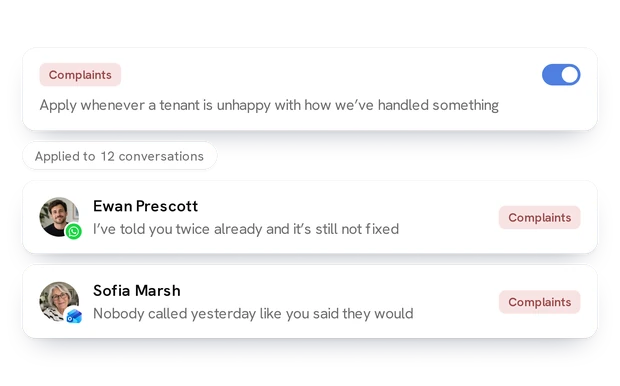
Maintenance, viewings, landlords, applications, complaints — describe a tag in plain English once and Lanten applies it to every new email and WhatsApp as it lands, whichever channel it came from. Filter by what matters at the start of the day.

Try for free Book a demo
The inbox filtered to the Maintenance label, email and WhatsApp together

Sorting that runs itself

01

Describe it, don’t configure it

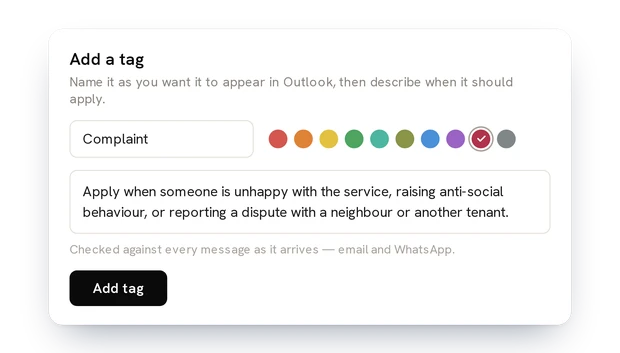
A tag is a name and a sentence: “Anything from a landlord about money.” No rules, no keywords, no folders. Lanten reads each message and decides.

The Add a tag panel: a name, a colour and a sentence
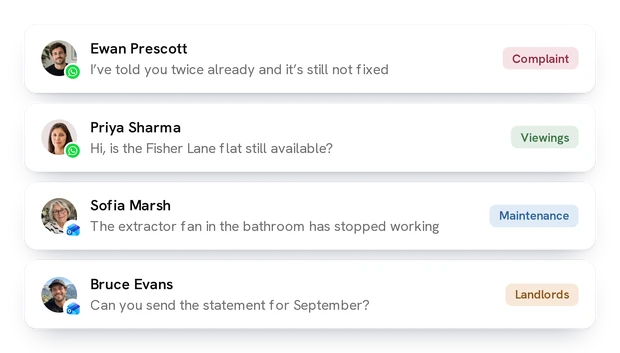
Four conversations across both channels, each wearing its tag

02

Applied on arrival, on both channels

Every new email and WhatsApp is checked as it comes in. Tags show in the inbox list and in Outlook as categories, so your existing filters keep working.

Ask across it all

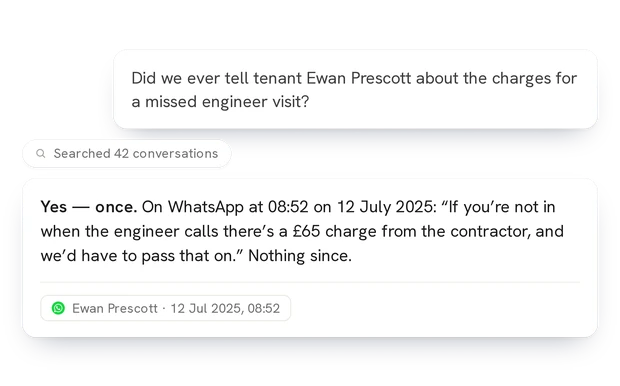
Tags sort the day; Ask finds the one message you need. See the Ask page →

Lanten answering a question about a tenant, with the message it found

See it working on your own inbox

Connects to Outlook, WhatsApp and your CRM in minutes. Free for 7 days, no card needed.